


Bit Flows: The AI-Powered Workflow Automation Plugin for WordPress
Managing a business website often feels like spending too much time on repetitive tasks. You need to keep copying customer info into my CRM, sharing blog updates, sending emails, and logging details into different tools. Most automation platforms I tried were not easy to use. Many had confusing pricing and limits.
Bit Flows gives you a simple drag and drop builder, smart triggers, and advanced workflow tools like the Router and Iterator nodes. You also get more than 238+ integrations with popular platforms such as WordPress, WooCommerce, CRMs, form builders, and email platforms. It supports AI actions for content creation and automation.
You will get unlimited automation with simple and honest pricing. You also get a lifetime payment option. It saves time, removes manual work, and lets you focus on your business without worrying about usage limits or surprise charges.
What is Bit Flows?
So, what exactly is this tool? Imagine you have a set of digital dominoes. When you push the first one, it triggers a chain reaction. Bit Flows works the same way for your apps and website. It is a workflow automation plugin that connects different platforms. When something happens in one app, Bit Flows can make something else happen in another.
The platform runs on your own server inside WordPress. This means your data stays with you. You stay in control. You do not have to worry about a third-party platform holding your information. It is built for people who want powerful automation without confusing pricing or limits. Let’s see some great features of Bit Flows:
Drag and Drop Visual Builder with Routing and Looping
Bit Flows packs many powerful tools inside a visual builder. You get a drag-and-drop way that makes workflow creation simple. There is a trigger to start your automation and actions to complete tasks. You can branch your flows with the Router. You can repeat steps with the Repeater. You can loop through lists with the Iterator.
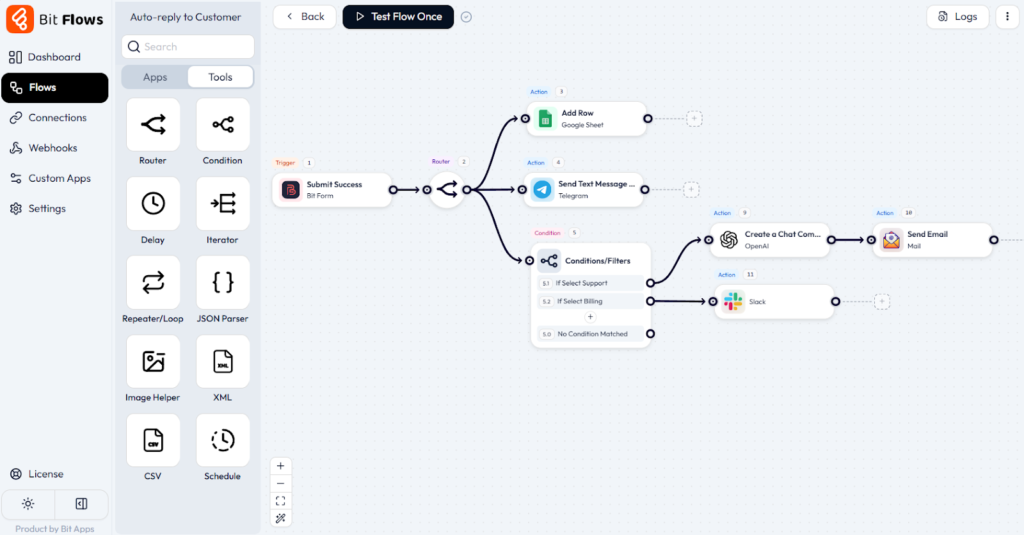
The Delay node lets you pause between steps. The Schedule trigger can run tasks automatically at set times. Any tool that can send or receive data can start a flow or get results.
Comprehensive Integrations and Parser Tools
Data is not always simple. Bit Flows includes parsers for JSON and CSV. This makes it easy to work with lists or complex API responses. There is an API connector and support for custom apps if you need to reach something unique.
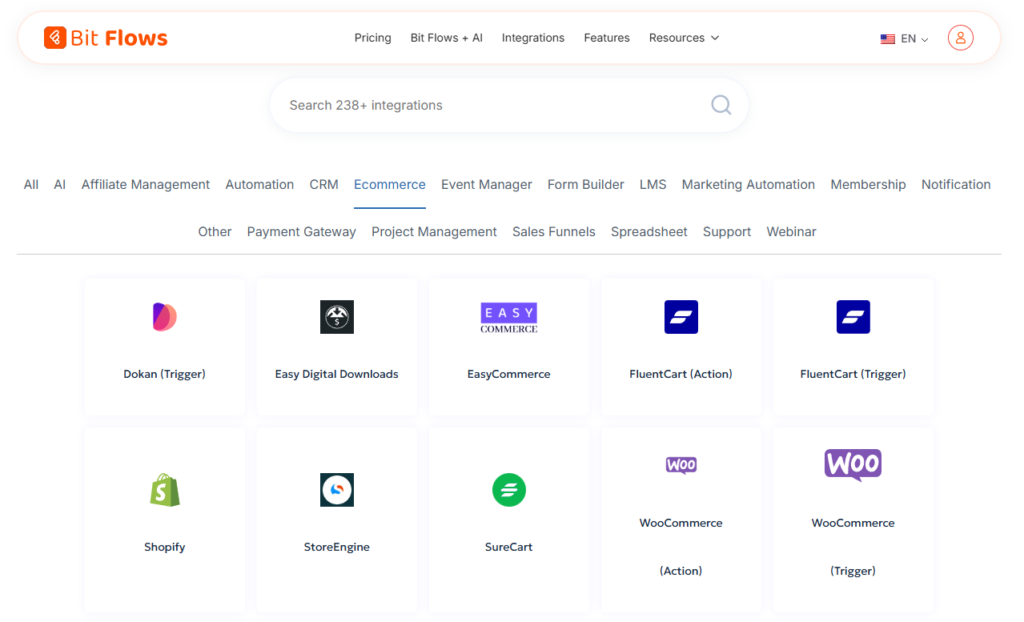
Bit Flows connects to more than 238+ popular platforms. This includes form builders like WPForms and Gravity Forms. It also covers WordPress, WooCommerce, Google Sheets, Trello, Mailchimp, HubSpot, and many more. Every integration works simply and consistently.
AI Automation in Bit Flows
The AI capabilities make Bit Flows even more powerful. It connects with OpenAI, Gemini, Claude, Perplexity, and Deepseek. You can create blog posts, generate SEO friendly product descriptions, summarize content, or analyze data.
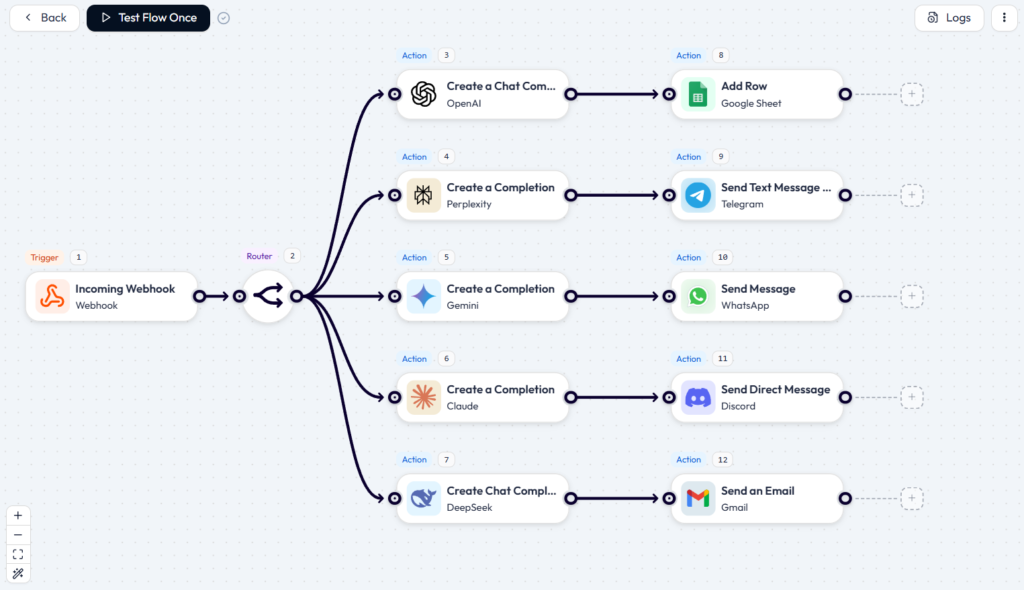
If you want an article from a product title and features, you can do it. If you need a batch of descriptions for your store, Bit Flows can handle it. The AI actions are executed within your automation.
Detailed Logs, Security, and More
Bit Flows includes clear and detailed logs. You can see each step your flow takes. This helps you understand what happened and fix issues fast. You can re-execute tasks from the logs if something needs attention.
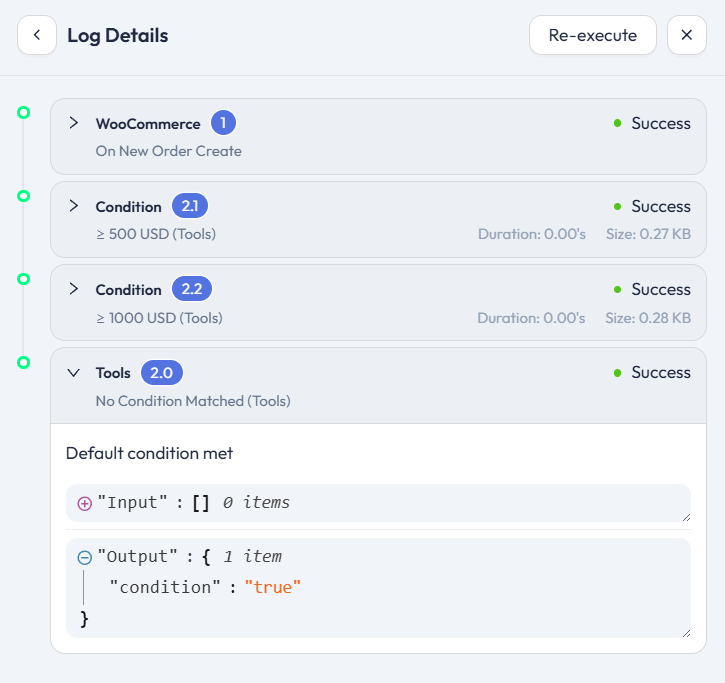
If an action fails, Bit Flows sends an email notification. You never miss a problem or a silent error. There is a dark mode for comfortable working. Your credentials are encrypted.
Unlimited Workflows and Fair Pricing
The real advantage is the unlimited automation model and affordable pricing. You will not pay per task. Lifetime plans are available, so you can pay once and use them forever. Bit Flows makes real automation accessible for everyone.
Self-hosted for Control and Privacy
Everything runs on your server inside WordPress. Your data stays with you. You control access. You do not share information with any third-party platform.
This also means no surprise bills. Many cloud tools charge you for every task. A busy month can increase your cost. Bit Flows runs on your server, so there is no per-task billing. You pay for the plugin and automate as much as you want.
Webhooks, API, and Custom Apps Made Simple
Bit Flows connects with anything that supports Webhooks, API calls, or custom app endpoints. You can send or receive data from any service and trigger automations instantly. This gives you full freedom to integrate tools that are not in the built-in library. If an app can talk to the web, Bit Flows can talk to it.
Features of Bit Flows That You Will Love
The platform is full of helpful tools. Some have become essential for my business.
You will love how easy it is to track everything. Bit Flows shows detailed logs for every workflow. If something goes wrong or fails, you can see exactly what happened. Also, you can re-execute a task from the logs. Troubleshooting becomes quick and stress-free.
Another helpful feature is email notifications for failed tasks. If any part of a workflow does not work, Bit Flows sends you an alert. You get notified right away, not days later. This gives you peace of mind.
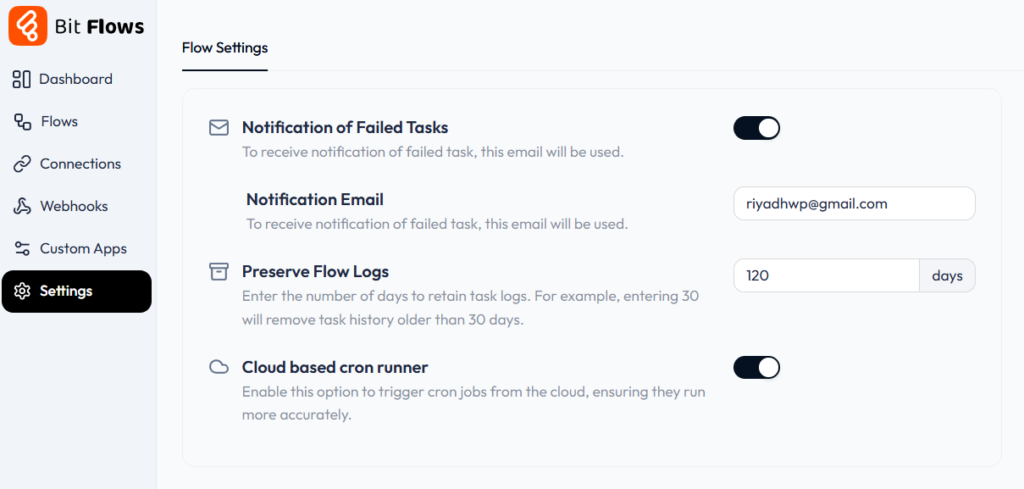
With so many integrations, easy logs, re execution, and proactive alerts, Bit Flows has become my trusted automation toolkit.
Why Self-Hosting Matters
Many automation tools run on cloud servers. You send your data to their system. With Bit Flows, everything happens on your server. This gives you two main benefits.
The first benefit is privacy and security. Your customer data stays within your system. You control who can access it.
The second benefit is predictable cost. Other platforms charge per task. If your site gets busy, your cost increases. Bit Flows runs on your server. You get no extra fees. You pay once and automate as much as you want.
Real World Examples of Workflow Automation
Theory is helpful, but real examples show the value. Here are a few automations I use every day.
New Customer Onboarding. When a customer makes a first purchase in WooCommerce, a workflow starts. It adds a New Customer tag to them in my CRM. It sends a welcome email. It waits three days. After three days, it sends a follow-up email. The entire process is automatic.
Content Idea Catcher: I use a small form on my site for blog post ideas. When I submit the form, Bit Flows creates a draft post in WordPress with the idea as the title. It also adds the idea to my Trello board. My ideas stay organized without extra effort.
Daily Sales Report: Every morning at eight, a scheduled workflow runs. It pulls yesterday’s sales from WooCommerce. It sends a summary to my phone through Slack. I can check the business before I finish my first coffee.
Automated Blog Writing with AI: When I prepare for a product launch, I add the product name and features to a form. Bit Flows sends this information to OpenAI or Gemini. The AI generates a product description or a full blog draft. The draft goes to WordPress automatically.
Bulk Content Generation: When my store needs many product descriptions, I upload a CSV with product names and features. Bit Flows uses the Iterator and AI nodes to create each description. Each one is reviewed and published with minimal editing. This saves hours of work.
These automations help me handle onboarding, content creation, reporting, and organization. Everything stays consistent and reliable.
A Final Thought on Bit Flows
Bit Flows gives me back hours every week. It takes the repetitive parts of my work and puts them on autopilot. This frees me to focus on customers and growth.
If you manage a website and deal with the same manual tasks again and again, you should try Bit Flows. It is powerful. It keeps your data in your control. It offers fair pricing.
You do not need to be a tech expert to use it. You only need the desire to work smarter. For me, it has been one of the best investments in my business.


