


The way designers work has fundamentally shifted. A few years ago, AI design tools meant a few auto-layout suggestions or a color palette generator. Today, the best tools can take a plain English description and hand you back a complete, multi-screen UI with production-ready code in under a minute.
Whether you’re a solo founder racing to validate an idea, a product designer trying to kill the blank-canvas problem, or a developer who’d rather describe a UI than build it from scratch, there’s a tool in this list for you. AI UI design has matured from a novelty into a genuine workflow and the tools below represent the sharpest end of that shift.
We’ve rounded up the 9 best AI UI/UX tools in 2026, covering everything from full-stack design-to-code workflows to user research, color generation, and AI-assisted content creation. Let’s get into it.
Quick Comparison
| Tool | Best For | Standout Feature |
|---|---|---|
| Flowstep | Full design-to-code workflows | Multi-screen generation + Figma paste |
| Figma Make | Figma-native prototyping | Prompt-to-interactive prototype |
| v0 by Vercel | UI component generation | Instant deployable React output |
| Claude | UX writing & design thinking | Nuanced reasoning, long-context analysis |
| Cursor | AI-assisted coding | In-editor AI pair programming |
| Lovable | No-code app building | Conversation-driven full-stack apps |
| Maze | Usability testing | AI-powered test analysis |
| Dovetail | User research synthesis | Auto-tagging & insight extraction |
| Khroma | Color palette generation | Personalized AI color matching |
1. Flowstep — The AI Design Engineer
If there’s one tool that’s changed the conversation around AI design in 2026, it’s Flowstep. Unlike tools that treat design and code as two separate problems, Flowstep treats them as one; its visual canvas is the code. That’s why it’s earned the label “AI design engineer,” not just an AI design tool.
What makes Flowstep different
Whole-experience generation, not single screens. You can describe a complete product flow, sign-up, onboarding, dashboard, settings, and Flowstep produces all of those screens at once, interconnected, on a single infinite canvas. No more stitching together individual mockups and hoping they feel like the same product.
AI and manual editing in the same place. Once your screens are generated, you’re not locked into what the AI produced. Refine individual elements by hand, or prompt the AI to adjust just one component. The editing model is a hybrid; you lead, and the AI assists rather than forcing you to re-generate everything from scratch each time.
References as context, not just inspiration. Flowstep understands context. Paste in a URL, drop in a reference screenshot, or attach a Design Specification document, and the AI will generate UI patterns that match your brand, your existing components, and your product’s visual language. This is what separates it from tools that just hallucinate generic SaaS interfaces.
Figma handoff with zero friction. There’s no plugin to install, no browser extension to configure, no export-then-import dance. Select your design in Flowstep, hit ⌘C, switch to Figma, and hit ⌘V. Your design lands as fully editable, auto-layout-structured components. That’s it.
Production-ready code export. When your design is ready to build, Flowstep exports clean React, TypeScript, and Tailwind CSS, not a rough approximation that your engineers have to rewrite, but code they can actually ship.
MCP integration for agent-connected workflows. For teams building with AI agents, Flowstep’s MCP (Model Context Protocol) support lets you connect the tool directly to your existing agents and applications, making it a natural part of automated design and development pipelines.
Best for: Product teams, founders, and designers who want to move from idea to shippable UI without context-switching between design and code environments.
2. Figma Make — Prompt-to-Prototype Inside Figma

Introduced at Figma’s Config 2025 conference, Figma brings AI generation directly into the Figma ecosystem. Describe an interface, and Make generates a clickable, interactive prototype that pulls from your actual design system components, tokens, style guides, and all.
The biggest advantage here is fidelity to your existing brand. Because Figma Make reads your Figma libraries, what it generates actually looks like your product rather than a generic template. You can also wire up Supabase for backend logic, making prototypes considerably more realistic for stakeholder testing.
The current limitation most teams bump into: Figma Make runs as a somewhat separate context from the main editor, which creates a little friction when moving between generating and editing. Credit limits per seat (enforced as of early 2026) also mean heavy users need to budget accordingly.
Best for: Design teams already deep in the Figma ecosystem who want AI generation that respects their design system.
3. v0 by Vercel — Instant UI Components That Actually Deploy

v0 sits at the intersection of design and engineering. Describe a UI component or page in plain language, and v0 generates clean React code, shadcn/ui-based, Tailwind-styled that you can preview, iterate on, and deploy directly to Vercel infrastructure.
What gives v0 an edge over pure design tools is its agentic depth. It can search the web, inspect live sites, debug errors it encounters in the generated code, and pull in external data via integrations. Community templates mean you can start from something that already works and remix from there.
For developers who want a UI faster than they could build it themselves but without giving up control of the code v0 is arguably the most practical tool on this list.
Best for: Developers who want production-quality UI components without handoff delays, and founders building web apps who know their way around React.
4. Claude — AI for Design Thinking, UX Writing & Research

Claude by Anthropic isn’t a visual design tool — it’s something more foundational. Where other tools generate pixels, Claude helps you think through the why before you build the what.
In a UI/UX context, Claude is most powerful for:
- UX copywriting — button labels, empty states, onboarding microcopy, error messages that don’t frustrate users
- Information architecture — working through navigation structures, content hierarchies, and user flows in conversation
- Design critique — paste in a design description or spec, and Claude will identify gaps, usability concerns, or missing edge cases with surprising nuance
- User research synthesis — feed it interview transcripts or survey responses and ask it to surface patterns and themes
With its extended context window, Claude can hold an entire product brief, a set of user interviews, and a draft spec simultaneously — then reason across all of them. That’s difficult to replicate elsewhere.
Best for: Designers and PMs who want to think more clearly before they design, or who need high-quality UX copy without hiring a specialist writer.
5. Cursor — The AI-Native Code Editor
Cursor is VS Code rebuilt with AI as a first-class citizen. For frontend developers working on UI, it’s become the go-to editor in 2026 — not because it generates design mockups, but because it closes the gap between a design spec and working code faster than anything else.
The key features that matter for UI work: Cursor can read your entire codebase and understand the patterns and conventions you’re already using, so it generates code that actually fits. Its multi-file editing capability means you can say “add a dark mode toggle to the header and update every component that needs it” and watch it happen across the project. When working from a Flowstep or Figma export, Cursor is the natural next step in the pipeline.
Best for: Frontend developers who want AI acceleration that understands their existing codebase, not just isolated snippets.
6. Lovable — Build Full Apps by Talking to Them
Lovable (formerly GPT Engineer) occupies a fascinating spot in the ecosystem: it’s less a design tool and more a “build me an app” tool that handles the design as part of the process. Describe what you want to build — in plain English, in a chat interface — and Lovable generates a full-stack web application: frontend design, backend logic, database schema, and all.
For non-technical founders and product people, Lovable has become a genuine superpower. The learning curve is minimal; if you can write a clear brief, you can ship a working product. The tradeoff is that Lovable’s designs are functional first, beautiful second — which is why many teams use Flowstep to nail the design language, then hand off to Lovable for the full-stack build.
Best for: Non-technical founders and early-stage product teams who need a working MVP without a development team.
7. Maze — AI-Powered Usability Testing
Great UI doesn’t just look good — it works well. Maze is the tool that helps you verify that before shipping. It’s a rapid usability testing platform that connects to your design tools (including Figma), lets you build prototype tests, and distributes them to participants.
The AI layer in Maze has grown significantly in 2026. It now auto-analyzes click paths and heatmaps, surfaces patterns in participant behavior, and flags points of friction in your flow — reducing the time it takes to go from “we ran tests” to “we understand what to fix” from days to hours.
For teams that have historically skipped usability testing because it felt slow or expensive, Maze has made it hard to justify that tradeoff anymore.
Best for: UX researchers and product designers who want quantitative validation of their designs before development, without setting up heavyweight research infrastructure.
8. Dovetail — Turn Research Into Insight Automatically
Where Maze captures behavioral data, Dovetail is where you make sense of qualitative research. User interview recordings, survey responses, support tickets, NPS comments Dovetail ingests them all and uses AI to tag, cluster, and surface themes.
In 2026, Dovetail’s AI features have matured enough that the tool can now generate a coherent research summary from dozens of interview transcripts identifying common pain points, unexpected delights, and gaps in your current design thinking in the time it used to take a researcher to manually code a single session.
For teams doing continuous discovery, Dovetail has become the connective tissue between what users say and what designers build.
Best for: UX researchers, product managers, and design teams practicing continuous discovery who need to synthesize qualitative data at scale.
9. Khroma — AI Color Palettes That Match Your Taste
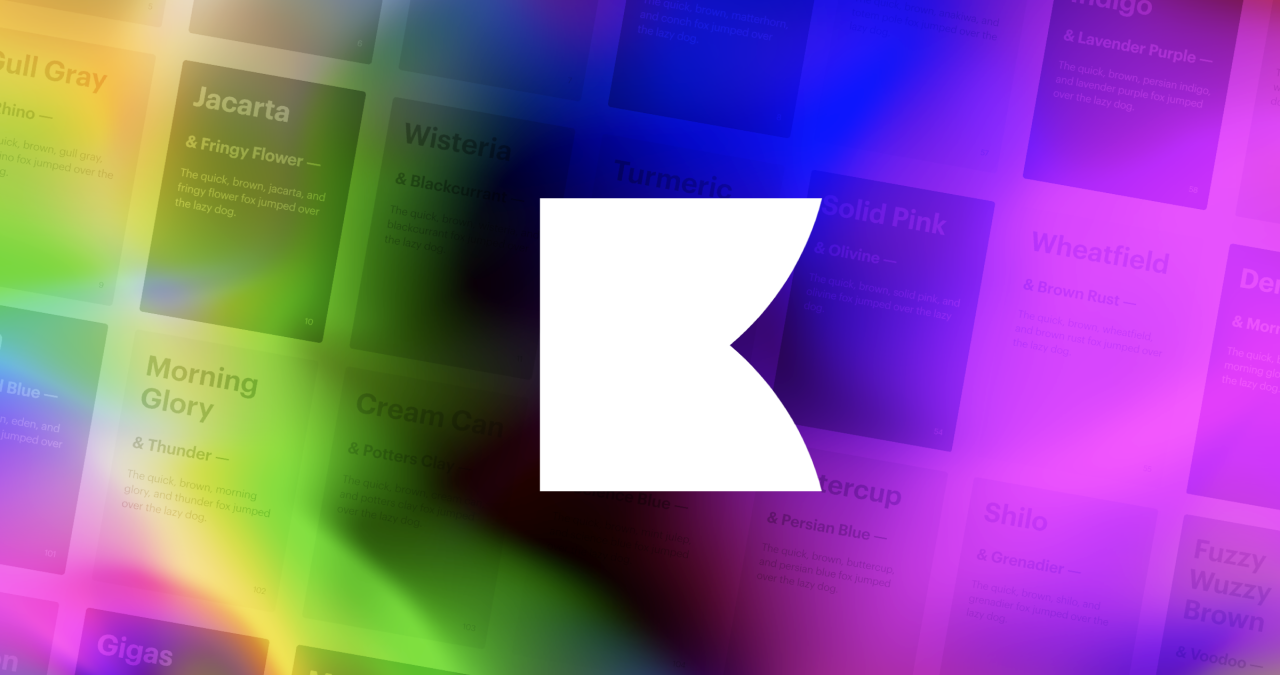
Color is one of those design decisions that seems simple until you’re three hours deep in a palette debate. Khroma solves it elegantly: you pick 50 colors you like from a curated set, and its AI learns your color preferences, then generates infinite personalized palettes shown in context as typography pairings, gradients, and UI component previews.
It won’t replace a senior designer’s color intuition, but for solo founders, developers doing their own design, or early-stage teams without a dedicated visual designer, Khroma dramatically compresses the time it takes to land on a color system that feels intentional.
Best for: Developers and non-designers who need a defensible color palette without spending days on color theory.
Honorable Mention: Adobe Firefly & Canva Magic Design
A few tools didn’t make the main list but are worth knowing about:
Adobe Firefly is Adobe’s generative AI engine, baked into Photoshop, Illustrator, and Express. For teams already in the Adobe ecosystem particularly those doing illustration, photo editing, or print-adjacent design work Firefly’s Generative Fill, text-to-image, and vector generation features are genuinely impressive. Its commercial safety (trained on licensed content) is a meaningful advantage for professional use.
Canva Magic Design has made Canva dramatically more powerful for non-designers. Describe what you need, and Magic Design generates branded templates, presentations, and social assets that match your uploaded brand kit. It’s not a product UI tool, but for marketing teams producing high volumes of visual content, it’s hard to argue against.
How to Choose the Right Tool
The honest answer is that the best teams in 2026 aren’t using just one of these tools they’re using two or three in a pipeline:
- Idea → Design: Flowstep (generate full UI flows from prompts)
- Design → Figma: Flowstep’s ⌘C ⌘V handoff
- Design → Code: Flowstep’s React/TypeScript/Tailwind export, refined in Cursor
- Code → App: v0 or Lovable for full-stack assembly
- App → Validated: Maze for usability testing, Dovetail for research synthesis
- Supporting layer: Claude for UX writing and design thinking, Khroma for color
The tools that will slow you down are the ones that create handoff friction, requiring exports, plugins, format conversions, or manual rebuilding at every step. The tools that accelerate you are the ones that speak each other’s language natively.
Good UI design has always been about reducing friction for the user. In 2026, the best AI tools are finally doing the same for the people who build it.
Flowstep’s positioning as an AI design engineer where the canvas and the code are the same thing is a bet on that friction-free future. Based on what we’ve seen in the first half of 2026, it’s a bet that’s paying off.
Have a tool you think belongs on this list? Let us know in the comments below.
Looking to build your next project on a solid foundation? Explore DroitThemes’ WordPress themes crafted for performance and optimized for the tools your team already uses.


